

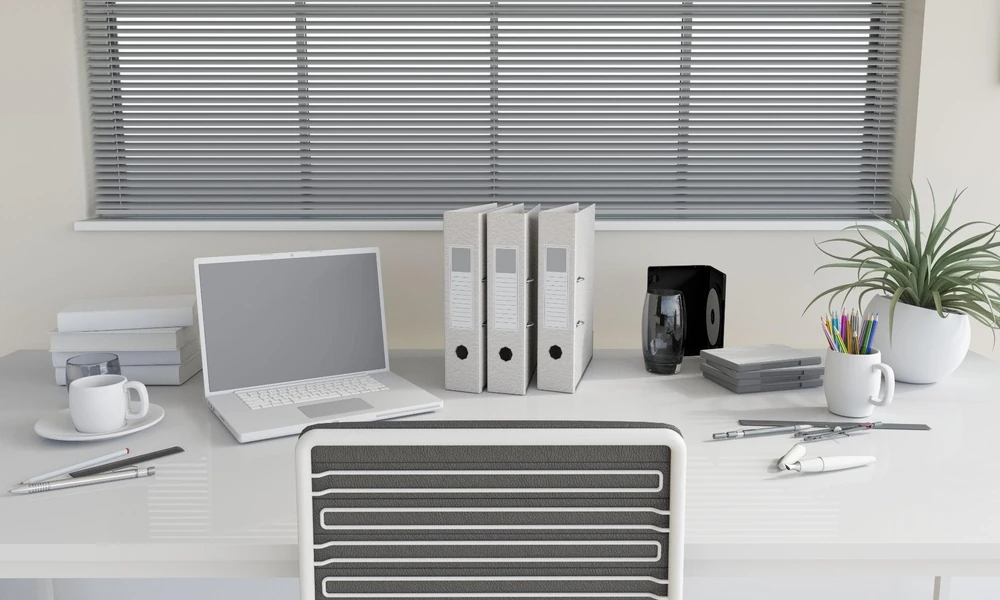
Standing desks can support different types of office work, but the appropriate configuration depends on the tasks, equipment and materials used. Creative, administrative and technical roles may require different amounts of desktop space, storage, monitor support and cable management.
Rather than selecting a desk based only on its overall dimensions, organisations can consider how the workstation will be used throughout the working day. Office furniture retailers may offer different sizes and configurations, while a customised standing desk can be specified when standard dimensions or features do not suit particular workspace requirements.
How Should a Standing Desk Be Designed for Creative Work?
Creative work can involve computers, drawing equipment, reference materials and other tools. A standing desk therefore needs enough usable surface area to accommodate the relevant equipment without restricting movement.
Important design considerations include:
- Desktop width: A wider surface can provide separate areas for computer equipment and physical materials.
- Desk depth: Adequate depth provides space for monitors while retaining a usable area towards the front of the desk.
- Equipment layout: Frequently used tools should remain within comfortable reach where practical.
- Monitor positioning: Screens should be positioned so users do not repeatedly twist or turn their neck to view them.
- Storage: Drawers, mobile pedestals or nearby shelving can keep materials accessible without occupying the main work surface.
- Cable management: Cable trays and routing points can help organise power, monitor and peripheral cables as the desk changes height.
Some creative tasks also require larger items such as drawing tablets or multiple displays. In these cases, desktop dimensions and equipment placement should be planned around the actual tools used.
Overall, standing desks for creative work generally need to prioritise usable surface area and flexible equipment arrangement. The next consideration is administrative work, where workstation requirements are often centred on routine computer and document tasks.
How Should a Standing Desk Be Designed for Administrative Work?
Administrative work commonly involves computers, telephones, documents and standard office equipment. The desk should provide a clear arrangement that allows users to move between digital and paper-based tasks efficiently.
A suitable configuration may account for:
- A monitor or laptop positioned directly in front of the main working position.
- Space for a keyboard and mouse without crowding the front edge of the desk.
- A designated area for documents when paper-based work is required.
- Accessible storage for files and frequently used office supplies.
- Cable routing for computers, monitors, chargers and telephones.
Desk height adjustability is particularly important in a sit-stand workstation because the working surface needs to accommodate both seated and standing positions. Keyboard, mouse and screen positioning should also be considered as part of the complete workstation rather than treating desk height as the only ergonomic factor.
In summary, administrative standing desks tend to prioritise an organised, accessible workstation for recurring tasks. Technical work can introduce additional requirements because more monitors, peripherals or specialised equipment may need to be accommodated.
How Should a Standing Desk Be Designed for Technical Work?
Technical roles such as software development, engineering or other computer-intensive work can involve multiple displays and peripheral devices. The desk must provide sufficient dimensions and structural capacity for the equipment actually being used.
Key considerations include:
- Monitor space: Multiple screens require adequate desktop width and appropriate viewing positions.
- Desktop depth: Additional depth can provide more flexibility for arranging larger screens and peripherals.
- Load capacity: The desk frame and lifting mechanism should be rated for the combined weight of the desktop and installed equipment.
- Monitor arms: Where used, the desktop must be compatible with the selected mounting method and equipment weight.
- Cable management: Power and data cables need sufficient slack and suitable routing to accommodate height adjustment safely.
- Power access: Equipment that remains connected throughout the day should have practical access to power without cables obstructing the workspace.
A customised standing desk may be considered where standard desks cannot accommodate particular dimensions, equipment layouts or load requirements. Technical desk design therefore centres on equipment capacity, positioning and cable organisation.
What Are the Main Standing Desk Differences for Creative, Administrative and Technical Work?
The main differences relate to how much space is needed and what must be placed on or around the desk.
| Work type | Main desk priority | Typical considerations |
| Creative | Flexible working surface | Materials, drawing equipment, displays and storage |
| Administrative | Organised task area | Computer, documents, telephone and office supplies |
| Technical | Equipment capacity | Multiple monitors, peripherals, cables and load limits |
These categories are not fixed. A creative professional may use several monitors, while an administrative role may involve extensive document handling. Businesses should therefore assess individual tasks before comparing options from office furniture retailers or specifying workstation dimensions.
The key principle is to match desk design to real work requirements. Surface dimensions, height range, equipment weight, storage and cable management should be considered together rather than as separate features.
Reach out to Ergoworks to find a customised standing desk that gives your tools, technology and workflow the space they actually need.
